Categories
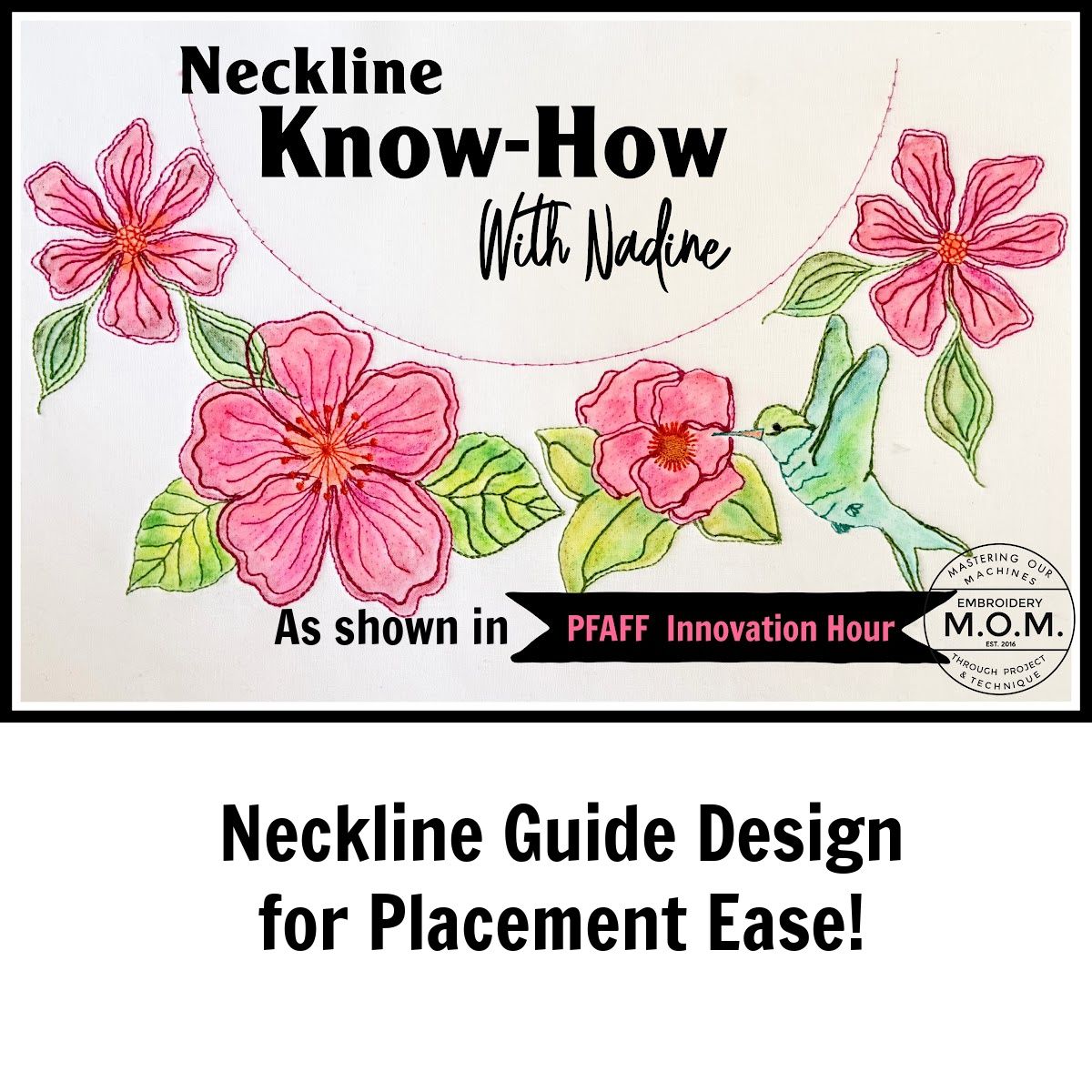
Neckline Know How with Nadine
$15.00
Neckline Know How with Nadine
Product Details
Thank you for tuning in for our 'Neckline Know-How' Innovation Hour presentation hosted by PFAFF NORTH AMERICA. To view the recorded session and get the code for the free neckline designs, tune in to Pfaff North America FaceBook Page or the Pfaff YouTube channel. (See links below)
BONUS: Along with the neckline guide file, you will also receive the 4 floral line art designs ready for you to create own neckline combination!
This embroidery design files have been loaded in multi-format to accommodate all machine owners with a 360x 200mm or greater hoop size. The curved neckline guide was created using sewing machine straight stitches in Shape Creator on the PFAFF creative expression 750. This technique loads individual machine stitches onto a custom shape therefore it also loads them as individual stitches in embroidery mode as well. The design should be placed to the far right of your screen/hoop to allow for additional design embellishments.
When stitching this in the hoop, please select your color merge feature so the design stitches continually without a stop between each of the stitches. You will notice a reduction in speed between each of the stitches as the machine does a short tie off.
Using the machine's built-in hoop scan feature allowed me to create & fit the exact neckline of my sweatshirt. We find this neckline accommodates most adult sweatshirt sizes.
There are several ways to use your neckline guide design:
(1) Use it directly on your screen to add designs and combinations around the outside edge of your neckline.
(2) Stitch it directly on your stabilizer to use as a guideline for placing your sweatshirt neckline onto the hooped stabilizer. A small amount of temporary adhesive spray will assist in holding the garment in place for a machine basting step.
(3) Once you have placed your sweatshirt on your hooped stabilizer, you may use a second stitch out to baste your sweatshirt in place onto the stabilizer
(4) Using the hoop scan feature will allow you create perfectly sized shapes for each garment you embellish. Stitch it out in dark thread on a stabillizer and store for future projects...each time you need a placement guideline, trace your stitched curve onto a new piece of stabilizer, hoop, scan and begin designing!
(5) Combine your neckline with lineart designs you create in Photo Designer in the Creativate App. Using the eraser function allows you add a custom curve to a design to fit your neckline.
After closing your cart, you will receive an email with the zipped multi-format design files and a PDF with additional information. If you have any questions, you can send an email to EmbroideryWithNadine@yahoo.com. We will be happy to help! ~Nadine
